


Facer Watch Faces
4.216.37K Reviews
App Specs
- Version
- Varies with Device
- Updated On
- License
- Free
- Downloads
- 10,000,000+
- Developer
- Facer Studios
- Categories
- Personalization
- Platform
- Android, iOS
Screenshots
 Analysis by AppCompare
I like a smartwatch best when its face does more than look good: it should be easy to read at a glance and fit the way I use the watch. That’s the appeal of Facer Watch Faces. It gives you a place to browse designs, adjust your choice, and make the screen feel more like yours, rather than settling for the handful of options that came with the watch. I’d treat it as a personalization tool, not a reason to spend every spare minute changing layouts.
A practical first routine
My best advice is to begin with a purpose, not an endless scroll. Decide what you want on your wrist: a clear time display for work, a more expressive look for weekends, or a face that puts useful information in view. Then browse with that need in mind and save the designs that genuinely appeal to you. A shortlist makes it easier to compare readability and style than repeatedly picking whatever looks striking in a thumbnail.
After choosing a face, give it a normal day’s use before judging it. Check the time outdoors, glance at it while walking, and see whether any extra details are easy to understand at a glance. A design can look polished on a phone and still feel crowded on a small watch display. If you find yourself pausing to decipher it, a simpler option may serve you better.
Settings that deserve a second look
Customization is useful when it solves a small, everyday problem. If a design lets you adjust its appearance, try making one change at a time—such as choosing a more legible color combination—so you can tell whether it improves the watch in real use. Avoid adding visual details just because they are available. The point is to make the face suit your habits, not to fit every possible element onto the screen.
Think carefully about what information you actually check from your wrist. A weather detail may help before a walk, while a decorative complication you never use can make the layout busier without adding value. What appears and behaves as expected can depend on the watch and the face, so I’d test a choice on the device itself rather than assuming every design will feel identical across different screens.
Make switching feel intentional
There’s a useful middle ground between keeping one face forever and changing it whenever you unlock your phone. I’d choose a dependable everyday design, then keep a second option for a distinct situation, such as a dressier event or a day when I want a more playful look. That makes switching a small, deliberate choice instead of another decision to revisit all day.
This habit also helps with discovery. When a new design catches your eye, try it for a while before replacing a face you already know works. If it looks good but proves difficult to read, you can move on without rebuilding your routine around it. The app’s range is most enjoyable when browsing leads to a few useful favorites, rather than an ever-growing pile of possibilities.
Worth Reading Before You Choose

Flipboard Shows What News Apps Must Do Beyond the Feed

Switching to Android Auto Means Rethinking Your Driving Routine

Google Calendar Makes a Crowded Week Easier to Manage

Ludo King Makes the Most of the Minutes Between Plans

Baby Panda World Brings Quick Play to Modern Phones, but Its Game Library Feels Busy

ESPN’s Live Game View Makes Following Close Games Easier
Where the experience has limits
A large library is a strength, but it can also make browsing feel like work. Not every style will suit your watch, and a face that seems appealing in a preview may not be the most practical choice on your wrist. Customization can take time, too; if you only want a clean display with no interest in exploring alternatives, your watch’s built-in faces may be all you need.
Compatibility and the final experience depend on the smartwatch you use, so I wouldn’t assume that every face or adjustment will behave the same on every device. It’s sensible to check that a design supports the features you care about and to keep expectations modest when moving between different watch platforms. Facer is most rewarding when you enjoy choosing and personalizing a face, not when you expect every option to work identically everywhere.
Who will get the most from it
I’d recommend the app to people who enjoy matching their watch to their mood, clothing, or routine, and to anyone who wants more variety than the built-in selection offers. It can also suit a creative user who likes the idea of making a design rather than only browsing. If you prefer a set-it-and-forget-it watch, or you mainly care about practical information and dislike visual tinkering, a simpler built-in option may be a better fit.
For a realistic example, imagine getting ready for work and wanting a restrained face that is quick to read, then switching to a more colorful design before meeting friends. The useful part is not making a new choice every few hours; it is having a small set of faces that each has a clear role. That approach keeps personalization enjoyable without turning your watch into another thing to manage.
What is Facer Watch Faces?
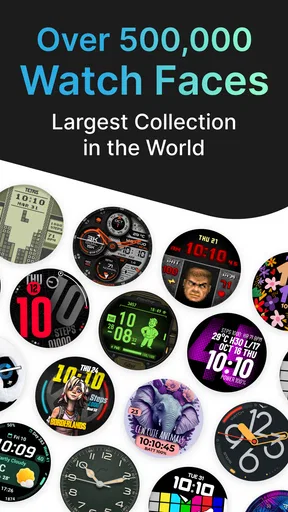
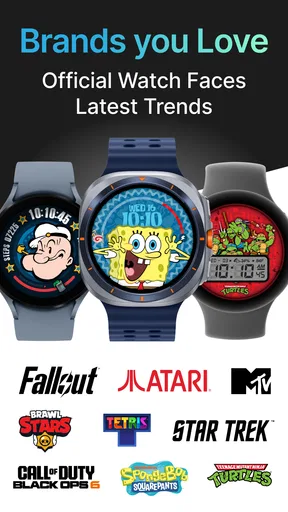
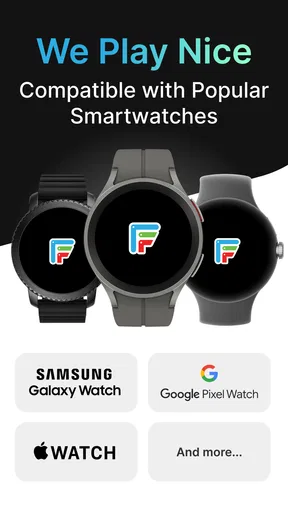
So, let’s get into it. Facer Watch Faces is an app available for both Android and iOS devices. It's essentially a platform that allows you to download and customize thousands of watch faces for your smartwatch. Whether you’re sporting an Apple Watch, Samsung Galaxy, or any Wear OS device, Facer has got you covered with an extensive library of designs.
First Impressions
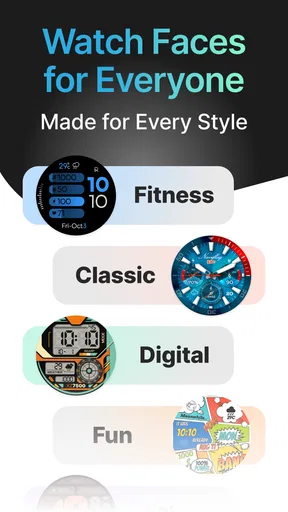
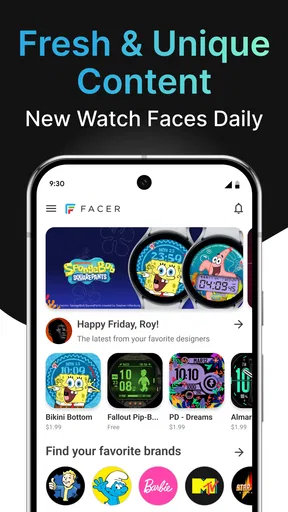
When I first opened the app, I was honestly a bit overwhelmed by the sheer number of options. But in a good way! The user interface is super sleek, and everything is categorized neatly, making it easy to browse through the options. There are faces for every mood, occasion, and personality. From minimalist designs to bold, colorful patterns, the variety is truly impressive.
Customization Galore
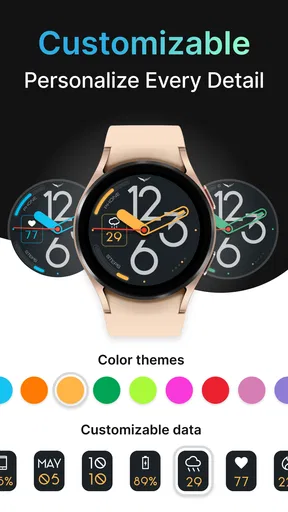
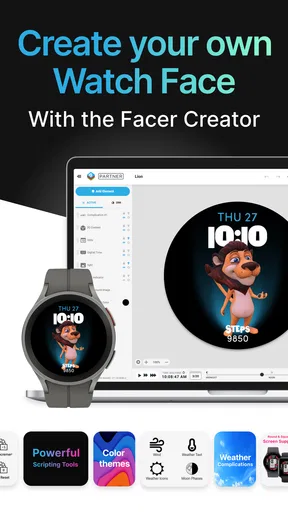
One of the standout features is the level of customization. You’re not just picking a watch face and slapping it on; you can tweak and tailor them to suit your personal style. Want to change the color scheme? Go for it. Need to add a weather widget? Easy peasy. The app also offers a design tool for those who are feeling extra creative and want to create a watch face from scratch.
The Community Aspect
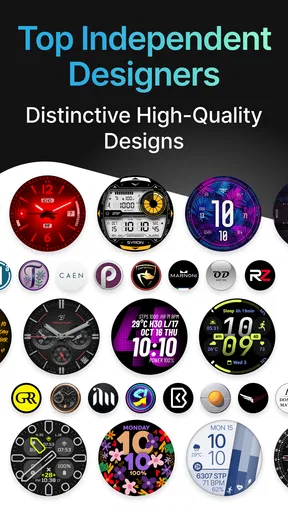
Another thing I love about Facer is the community aspect. Users can share their creations with others, and you can follow designers whose styles resonate with you. It’s like a little social network dedicated to watch face art. This not only keeps the content fresh but also gives you a chance to discover unique designs you might not have found otherwise.
Performance and Usability
As for the app’s performance, it runs smoothly on both Android and iOS. I’ve encountered no hiccups or crashes, which is always a plus. The synchronization between the app and your smartwatch is seamless—within seconds, your selected watch face is displayed on your device. It’s really that simple.
Premium Features
While the app is free to download and offers a lot of free content, there’s also a premium subscription option. This gives you access to exclusive watch faces and certain features like the ability to use the design tool. If you’re someone who loves to switch up your watch face frequently, it might be worth considering. However, even without the premium version, there’s plenty to explore.
Final Thoughts
Overall, I’d say Facer Watch Faces is a must-have if you’re looking to add a personal touch to your smartwatch. It’s incredibly user-friendly and offers endless possibilities. Whether you’re a casual user or a smartwatch enthusiast, this app provides an exciting way to keep your watch face fresh and stylish. Give it a try and you might just find yourself spending a little extra time admiring your wrist.
How it fits among personalization options
Compared with relying only on the faces already on a watch, Facer is appealing when variety and creator-made styles matter more than keeping everything minimal. The built-in selection is often the more direct choice if you want a familiar, low-effort setup; Facer gives you a broader browsing and customization experience to explore. I’d choose between them based on whether I’m looking for a particular visual style or simply want a dependable display without extra decisions.
It also differs from changing a watch’s appearance through a single manufacturer’s own app: Facer puts community designs and personal expression at the center of the experience. That breadth is valuable, but it makes previewing and checking compatibility more important. A face can be attractive as artwork yet less useful for your habits, so I’d prioritize legibility and relevant information over novelty.
Build a small, useful collection
One practical way to keep the library manageable is to give each saved face a job. Keep one that is easy to read in bright conditions, another that suits a more formal setting, and perhaps a playful design for leisure. You do not need to change all the time for the app to be worthwhile; having a few distinct choices can make personalization feel purposeful without adding a daily chore.
When trying a new option, compare it against your usual face rather than judging it in isolation. Ask whether the time is quicker to read, whether the details you care about are easier to reach, and whether the colors work for your typical surroundings. If the new design does not improve any of those things, it may still be fun, but it probably does not need to become your default.
Costs, expectations, and compatibility
The app is free to download, with in-app purchases ranging from around fifty cents to about forty dollars per item. I’d explore the free experience first and only consider spending if a specific design or feature is clearly worth it to me. That is a more comfortable approach than paying just because a large catalog makes it feel as if a purchase is necessary.
Facer is developed by Facer Studios and sits in the personalization category. It has an average rating of 3.9 from around 182,000 ratings, with roughly 16,000 written reviews and over 10 million installs. It is rated for Everyone and has been available since July 19, 2014. Those figures suggest a well-established app with a sizable audience, but they do not tell me whether a particular face will suit my watch or my taste; trying a few options is still the useful test.
If you are deciding whether to install it, start by checking that your smartwatch and the faces you want to use are supported, then browse without committing to a purchase. I would skip it if you are happy with your current watch face and have no interest in visual customization. For everyone else, the strongest reason to try it is the chance to find a face that looks personal while still working in the quick, practical moments when a watch matters most.
Pros
- Wide variety of customizable watch faces.
- Compatible with multiple smartwatch brands.
- User-friendly interface for easy navigation.
- Regular updates with new designs.
- Community-driven content for diverse options.
Cons
- Some designs require in-app purchases.
- May drain battery faster on some devices.
- Occasional syncing issues reported.
- Ads can be intrusive for free users.
- Limited offline functionality.
FAQs for Facer Watch Faces
What is Facer Watch Faces, and how does it enhance my smartwatch experience?
Facer Watch Faces is a popular app designed to elevate your smartwatch experience by providing a wide range of customizable watch faces. Compatible with both Android and iOS, it offers thousands of designs from various categories, allowing you to personalize your device to match your style and preferences. Whether you prefer minimalist or detailed designs, Facer has something for everyone.
Is Facer Watch Faces compatible with all smartwatch brands?
Facer Watch Faces is compatible with most major smartwatch brands, including Samsung, Wear OS by Google, and Apple Watch. However, compatibility can vary based on the specific model and operating system version. It’s always a good idea to check the compatibility details on the app’s download page or the developer’s website to ensure it works with your particular device.
Are there any costs associated with using Facer Watch Faces?
Facer Watch Faces offers both free and premium options. While many watch faces are available at no cost, some premium designs require a purchase or a subscription to Facer Premium. This subscription also unlocks additional features, such as advanced customization tools and exclusive content, enhancing the overall user experience.
How easy is it to customize watch faces using Facer?
Facer Watch Faces is designed with user-friendliness in mind, making it easy to customize and apply watch faces. The app provides intuitive tools for adjusting colors, styles, and complications. Users can also create their own designs or modify existing ones, making it accessible for both beginners and those with design experience.
Does Facer Watch Faces impact my smartwatch’s battery life?
The impact of Facer Watch Faces on battery life can vary depending on the complexity of the watch face design and the features used. Animated or highly detailed faces may consume more power. However, Facer is optimized to minimize battery drain, and users can choose simpler designs if battery life is a concern. Monitoring settings and usage can help manage power consumption effectively.


